workplace smart lockers
Smarter Locking for the Workplace
Smart lockers for the hybrid office
When employees don’t have a permanent desk, they need a permanent anchor — somewhere secure to store their belongings, pick up packages, and access equipment without hunting down IT. Smart workplace lockers fill that role. They integrate with the same badge, mobile credential, or app employees already use for building access, and they adapt as your policies change: assigned one week, day-use the next.
Metramodo smart lockers are the only locker system that supports Apple Wallet credentials natively, integrates with desk booking platforms like Appspace, and allows assigned storage, day-use storage, and package/goods exchange to coexist in a single locker bank — no separate systems required.
smart workplace lockers
CLICK TO NAVIGATE DOWN THE PAGE
How many lockers does a hybrid office need?
The standard rule of thumb for hybrid offices is a 6:10 ratio — roughly 6 lockers for every 10 employees. However, this varies by how your team uses the office:
- 3–4 days/week in office: Use a 7:10 ratio. More employees overlap on peak days and need consistent storage.
- 2–3 days/week in office: A 5:10 ratio typically works. Combine assigned lockers for frequent users with day-use lockers for occasional visitors.
- Fully flexible / hot-desking: A 4:10 ratio with app-based booking is sufficient. Research shows optimized hot-locker models save 40–50% on lockers and space compared to 1:1 assigned locker models.
One advantage of networked smart lockers over traditional lockers: you can change these ratios in software, not hardware. Reconfigure a column from assigned to day-use in minutes as your occupancy patterns shift.


Let your staff use your lockers before you write your policies. The real pain point we had: we wrote all this wonderful policy in our mind as the armchair quarterback, we released the lockers to the staff and found out that usage didn’t match that at all. If we had to do this again, we would have laid out some rudimentary policies to make sure we were keeping the peace and making sure the lockers are being utilized but we would have spent 90 days letting staff use the lockers before the policies around their usage and the assignment and time periods and things like that.
integration
streamlined storage solutions
Smart lockers can simplify and enhance personal storage for today’s flexible workplaces. By integrating with existing access methods like ID cards, mobile credentials, or mobile apps, smart lockers provide a seamless user experience. Employees can conveniently access their personal items without needing to carry additional credentials. Smart lockers can adapt to evolving workplace policies and employee needs, serving as a versatile solution within an integrated facility management ecosystem.
unified access across the office building
Users can unlock doors simply by holding their iPhone or Apple Watch near the reader, even if the device is out of battery.


space reservation app
With the Appspace app, employees can easily book a desk, space, or locker in a convenient location—all from their smartphones.


locker configuration
change how you use your lockers as often as your needs change
one locker bank...
...infinite possibilities
One locker bank, multiple configurations
Traditional lockers force a choice: assigned or temporary. Metramodo smart lockers let you run both simultaneously — plus a third mode — within a single bank:
Assigned use: A specific locker is tied to a specific employee. They access it with their badge, phone, or Apple Watch. Best for employees in the office 3+ days per week.
Day-use (hot locker): Employees reserve a locker via the Appspace app before coming in, use it for the day, and it resets when they leave. Best for hybrid workers who come in 1–2 days per week.
Exchange / package: A dedicated column or row for receiving packages, IT equipment drops, or food delivery. A courier deposits an item; the employee gets a notification and uses their credential to retrieve it. No front desk involvement.
You can assign individual lockers — not just columns — to any of these modes. If your occupancy changes (return-to-office mandate, seasonal staff, a merger), you reconfigure in software, not hardware.
lockers designed with purpose


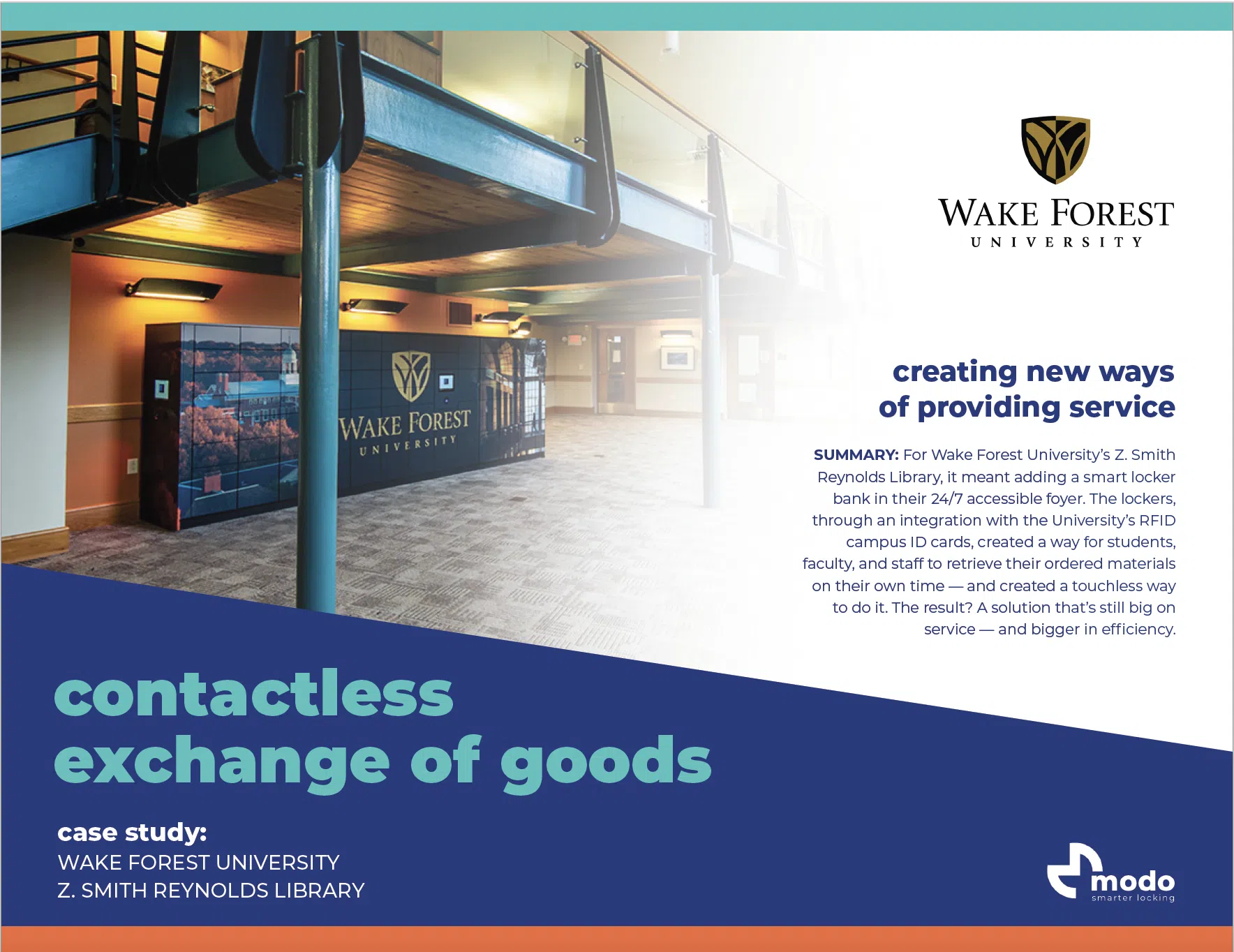
Smart lockers are changing how organizations handle storage and exchanges. They can be for personal storage to goods exchange, seamlessly working with digital services all in the same locker bank. For example, they make package delivery efficient, allowing employees to use secure access for pickup. IT support can use them for equipment repairs, with a system to track deposits and pickups. They also offer slots for outgoing mail, improving mail handling. Essentially, smart lockers adapt to different needs within an organization, offering a versatile solution for various functions.
user experience
workplace locker user experience
Designed for your unique needs
The Metra Smart Locker System is customized to your unique needs to use the lockers for long or short-term use. Configured to be self- or pre-assigned by an administrator or the system and opened by a 4-digit PIN, with your phone, RFID card, fob and even your watch. Below are common use-cases for workplace environments.
touch display

The touch display allows the user to choose their locker and present their credential to the reader or 4-digit PIN
mobile access

Reserve a locker ahead of time in the same workplace app you reserve a desk and a parking spot. Learn more:
apple wallet

Mobile credentials in Apple Wallet are the new secure key for everything in the office building. Learn more:
exchange of goods
package lockers
Your workplace isn’t stagnant — and sometimes you need to change your policies or procedures during times of change. Your lockers should help support and enable your strategies. Flexible technologies and frictionless experiences are here to stay.
locker design
As workplaces evolve toward more personalized and engaging spaces, smart lockers should do more than just store items. Metramodo lockers blend seamlessly with modern office design, enhancing both the visual appeal of your space and the functionality of your storage.
Islands
End-Caps
Built-In Wall
Zone Dividers
gallery
Take a look at these workplace images for inspiration for your workplace design
Frequently Asked Questions: Smart Workplace Lockers
What is a smart workplace locker?
A smart workplace locker is a storage unit with an electronic lock controlled by software rather than a physical key or combination. Employees access it using a credential they already carry — an ID badge, mobile phone, Apple Watch, or PIN — and administrators manage assignments, access logs, and configurations remotely through a cloud dashboard.
How do smart lockers integrate with desk booking software?
Metramodo integrates with Appspace, allowing employees to book a desk and a locker simultaneously from one app before they arrive at the office. The locker is reserved, the employee’s credential is authorized, and they walk straight to their locker on arrival — no kiosk interaction required.
Can the same locker bank handle both assigned and temporary storage?
Yes. Metramodo smart lockers can be configured at the individual locker level — not just by bank — to support assigned use, day-use (hot locker), or goods exchange. Columns or individual units can be reconfigured in software as your needs change.
Do smart lockers work without a dedicated app?
Yes. Metramodo lockers support credential-based access via HID RFID cards, fobs, and Apple Wallet — no app download required. Employees who already badge into the building can use the same credential on their locker.
What happens to a day-use locker if an employee forgets to clear it?
The administrator dashboard shows any locker that has been occupied past its reserved window. Admins can send automated notifications to the employee and, if needed, override the lock remotely through the management software.
Can smart lockers handle package delivery from couriers like UPS or FedEx?
Yes. A locker column can be configured for inbound deliveries. Couriers are issued a one-time or recurring access credential to deposit packages. The employee receives a notification and retrieves the package using their standard credential — no signature, no front desk, no missed deliveries.

Do you have a need for smarter locking?
Interested in learning more about the various ways to apply a smarter locking system to your locker applications? Contact us and we will get in touch with you to learn more about your unique needs.